Tutorials
Workflows, in depth.
Longer-form reports on real engineering workflows with Cocodrilo - from BIM to analysis and back. New tutorials land here as they are written.
More tutorials are on their way - get in touch if there is a workflow you want covered.
FAQ
Parametric engineering, in short.
- How do I do structural engineering parametrically?
- Build one structural model as data, not drawings: geometry in Rhino, logic in Grasshopper, and the physical properties - sections, materials, supports, loads - attached as parameters. Cocodrilo turns that definition into a complete FE object model you can send to ETABS, SAP2000 or Strand7, and update by changing parameters instead of remodelling.
- What is a parametric structural model?
- A structural model defined by rules and parameters rather than fixed geometry. Members, sections, materials, supports and loads are data that respond to change - when the architecture moves, the analysis model updates with it instead of being rebuilt.
- How do I get a Revit model into ETABS, SAP2000 or Strand7?
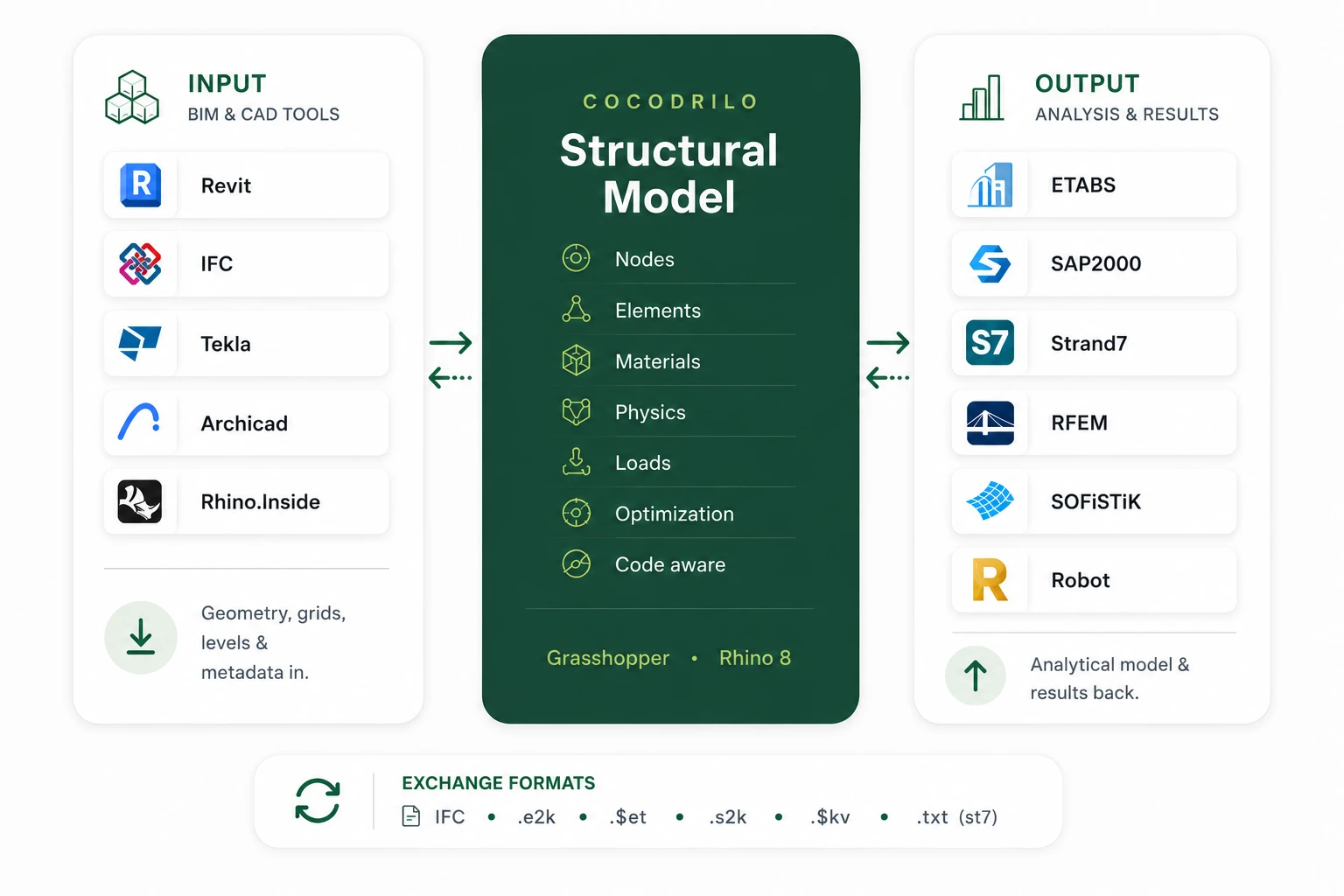
- Export the Revit model to a .3dm file with the free Cocodrilo Revit exporter - sections, materials and metadata travel along. Make the geometry analysis-ready in Grasshopper with Cocodrilo's projection and intersection tools, then write the structural model straight to the solver. The From Revit to Analysis tutorial walks through the whole workflow.
- Do I need Grasshopper experience to use Cocodrilo?
- Less than you would expect. Ready-made components cover the standard BIM-to-FEM workflow, and the built-in AI assistant works directly on the structural model - you can ask it to check utilizations, modify members or compare design options in plain language.
- Which tools does Cocodrilo exchange with?
- It reads Revit (via the 3dm exporter), IFC and native Rhino models, and writes and reads ETABS, SAP2000 and Strand7 - with more solvers on the way. Cocodrilo installs from the Rhino Package Manager on Windows.